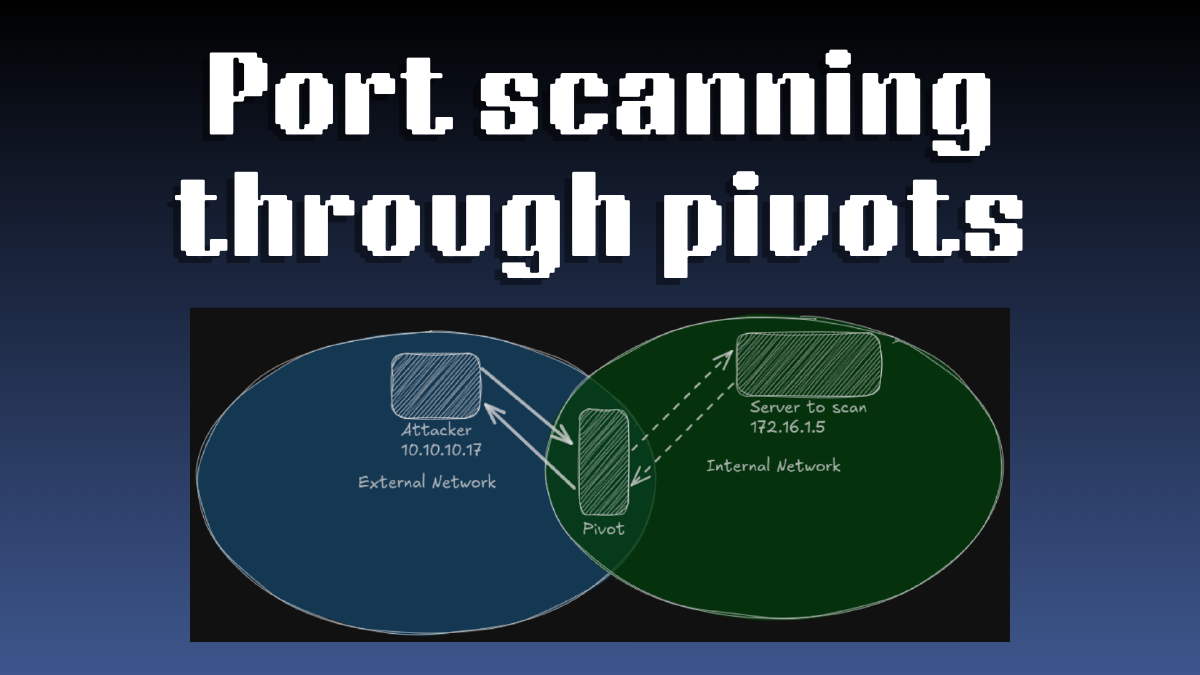

If you’ve ever tried scanning ports on a machine present in an internal network through a pivot machine, you might have noticed that it can be very slow at times and that the results of the scan aren’t always very reliable (often times missing open ports :/).
Once solution that comes to mind might be to transfer nmap (or another port scanner) on the pivot machine and then run the scan from there.
This method, although effective in terms of packet transmission (the scanning traffic is isolated in the pivot-target segment), presents some drawbacks such as:
- Lack of stealth: Uploading a binary to the host is quite noisy and can be very easily detected
- Missing services: Sometimes nmap threw errors related to some missing services (although still able to do a basic port scan)
- Inconvenience: Transfer the binary > Login to the host > Running the binary > Copying the results > Pasting them, there are a lot of steps just for a simple port scan.
sps (Simple Port Scanner) is a tool that tries to circumvent these hurdles by giving us the ability to specify on which host we want to run the port scan from.
Pivoting Primer#
Pivoting is a technique used to access internal networks that are not directly reachable by the intermediary of pivots. A pivot host is a machine that is both in our network and the internal network that we want to access:
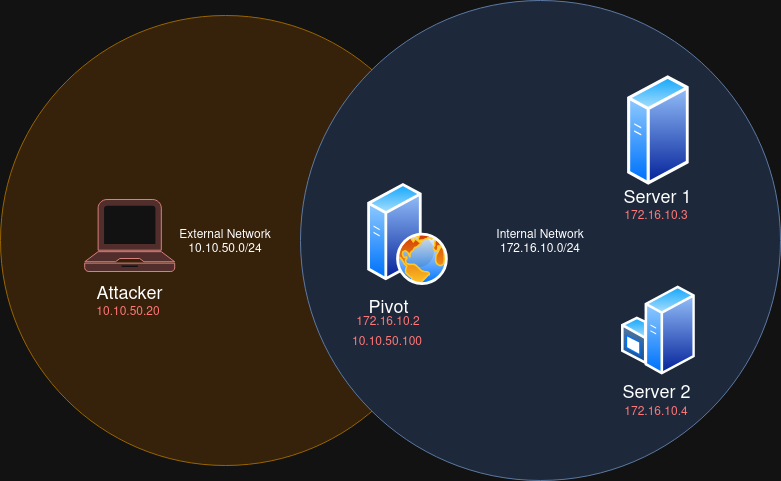
In the image above, as the attacker (10.10.50.20) we cannot directly access Server 1 (172.16.10.3). However there is a host that we can reach, which in turn can reach Server 1. That host is the Pivot here having the IP addresses: 10.10.50.100 & 172.16.10.2.
In this situation, we can pivot into the internal network (172.16.10.0/24) by tunneling our traffic through the pivot host (also called Jump Host). That way, if we want to send a packet to Server 1, we would send it first to the Pivot, which will then relay it to Server 1.
Using tools like ligolo-ng or chisel we can easily do just that.
Port Scanning through Pivots#
When scanning hosts that are in an internal network from an external network, we usually have to make a compromise between speed and accuracy/stability. If we send too many requests, we will probably lose some packets which might result in missing open ports making the scan results unreliable. Furthermore, it can also break the tunnel that we constructed to access the internal network.
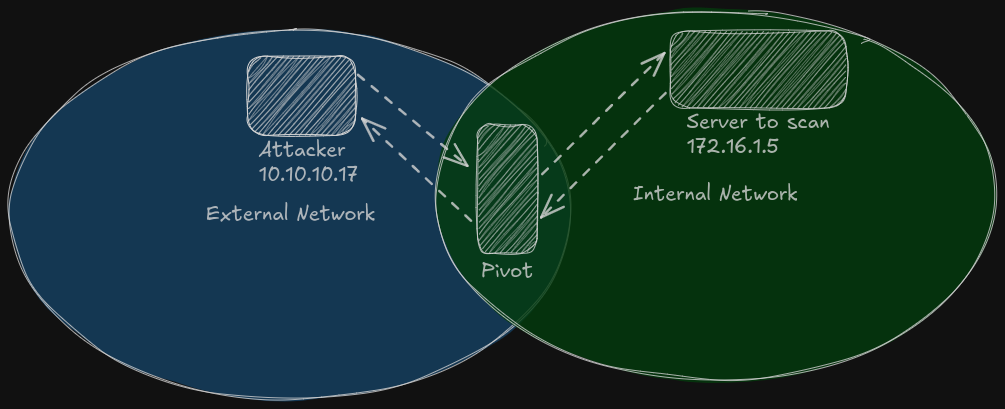
In the above image, we can see 3 hosts:
- Attacker which is in an external network trying to port scan a server that is situated in the internal network
- Pivot relaying the packets from Attacker to the target server
- Server to scan which is the target server being scanned
We can also see dashed arrows reprensenting the flow of packets being transfered in the different network segments.
In this scenario, let’s say we are probing port 80. Before we get back info whether the port is opened or closed, the information would have went through 4 segments (2 for request, 2 for response). And that’s if we’re doing a SYN scan. In this case we can see that it’s not unlikely that one of the packets might be lost, especially when our connection is not very stable (typical when pivoting).
To avoid all these problems we can, like mentionned in the introduction, perform the scan from the pivot machine. But without having to write on disk (for the sake of stealth).
SPS (SimplePortScanner)#
sps is a TCP port scanner written in Go to which you can specify a host (which you have ssh access to) to run the scan from (without touching disk).
It will connect to the specified host with the credentials provided. Upon successful authentication, it executes a command that will retrieve the compiled binary of sps hosted on a HTTP server or SMB share that you’ve set up before running sps.
The command that is executed and whether a HTTP server or SMB share should be setup, both depends on the OS of the host perfoming the scan. This is explained in sps’ README.
Once the binary is retrieved it will be executed in memory and the results will be returned on STDOUT.
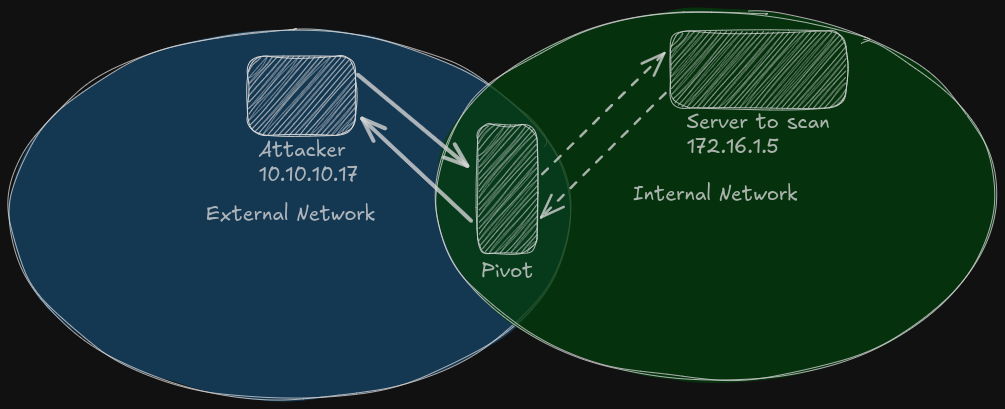
On the above image, we can see that the arrows between the attacker and the pivot are not dashed anymore. This illustrates that we are not sending each single packet (for a single probe) all the way from attacker to target, rather we will send one “big request” to the pivot, which will do the work and returns us back the results.
On the perspective of the attacker, it’s like the scan was ran from their machine.